

When “I’ll Just Check on Mom” Isn’t Always Possible
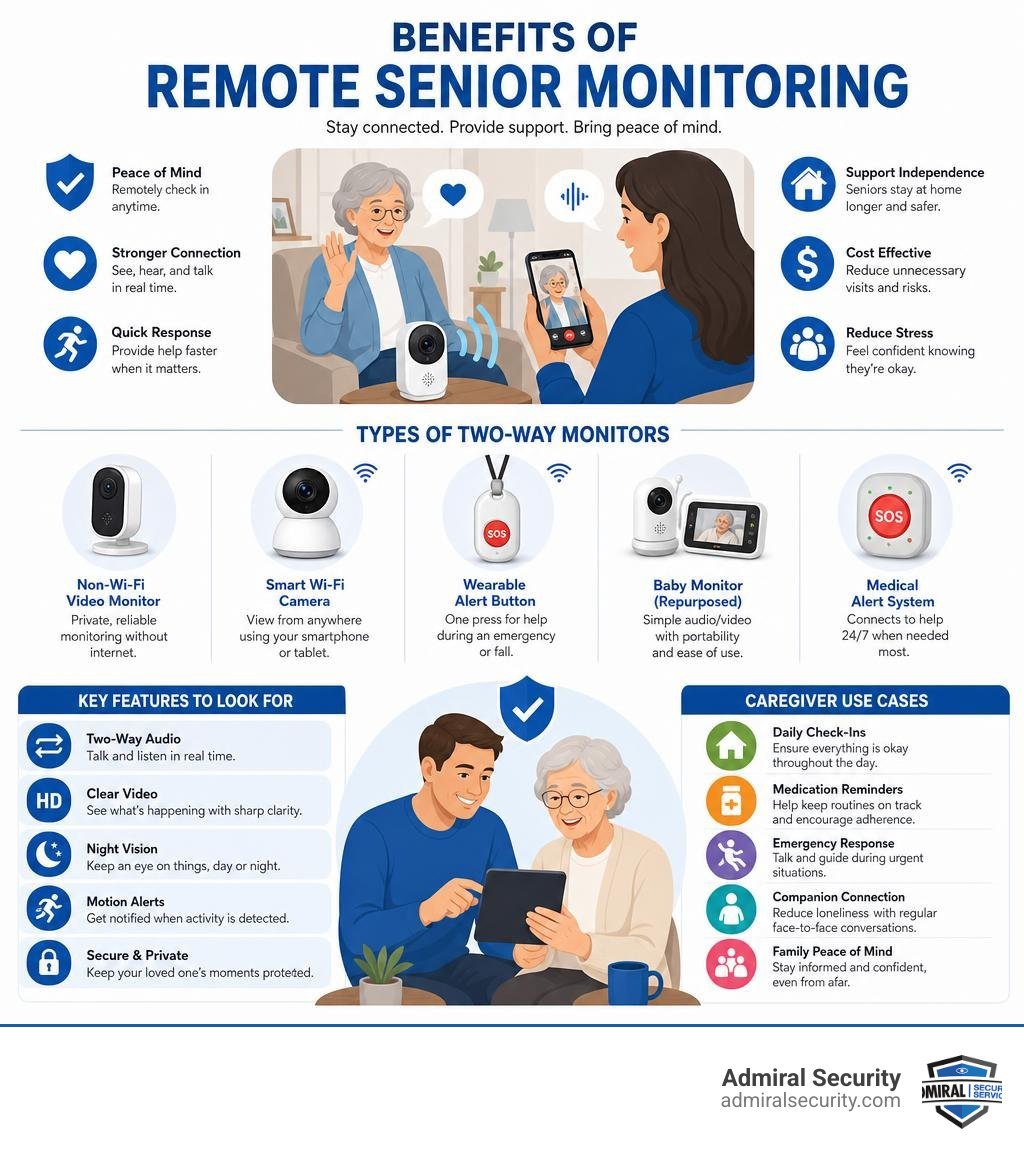
A two-way monitor for elderly loved ones gives caregivers the ability to see, hear, and speak with a senior in real time, without being in the same room.
Quick answer: Best types of two-way monitors for elderly care
| Type | Best For | Wi-Fi Needed? | Approx. Cost |
|---|---|---|---|
| Non-Wi-Fi video monitor | In-home privacy, no network needed | No | $40-$100 |
| Smart Wi-Fi camera | Remote app viewing, out-of-home caregivers | Yes | $30-$200+ |
| Wearable alert button | SOS emergencies, fall response | Yes/No | $40-$60/mo |
| Baby monitor (repurposed) | Simple audio/video, portability | No | $30-$80 |
| Medical alert system | 24/7 professional monitoring | Varies | $20-$70/mo |
Caring for an aging parent is hard enough. Add a large home, a backyard, or an upstairs office, and staying connected gets even harder.
That gap is real. Many caregivers worry about the moment they step outside and their parent needs help. One caregiver shared that they only knew something was wrong because they happened to check a camera feed while working in the garage.
Technology has made it easier, and more affordable, to close that gap. Over 10,000 elderly monitoring devices with two-way audio are sold monthly on Amazon alone. But more options also means more confusion about what actually works.
This guide cuts through the noise. We compare the top systems by type, feature set, and real-world use, so you can find the right fit fast.
Two-way monitor for elderly terms explained:
Why You Need a Two-Way Monitor for Elderly Care at Home

When I talk to families navigating the complexities of elder care, the biggest challenge they share isn’t the physical work. It is the constant, low-grade anxiety of not knowing what is happening when they step away. I call this the caregiver burden. You want to give your parent independence, but you also want to make sure they do not fall or miss a medication.
A reliable two-way monitor for elderly parents serves as your eyes and ears. It is not about constant surveillance or acting like “Big Brother.” Instead, it is about creating a safety net.
If your mother has mobility challenges, a two-way monitor lets her call out to you when she is ready to transition from her chair to her walker. Instead of her attempting to walk alone, you can hear her request and assist immediately, which is a major victory for fall prevention.
For families managing dementia, these monitors are crucial. A senior who becomes disoriented in the middle of the night can be gently guided back to bed by your voice through the speaker, preventing wandering before it starts. According to resources on Top Monitoring Systems for Seniors – A Place for Mom, combining active communication with physical alerts is the most effective way to help seniors age in place safely.
Top Two-Way Monitoring Systems for Home Care
Choosing a system depends heavily on your home layout, your technical comfort level, and how much privacy your parent wants. To help you sort through the options, I have mapped out the main categories below:
| Feature | Non-Wi-Fi Video Monitors | Smart Wi-Fi Cameras | Wearable Alert Buttons |
|---|---|---|---|
| Privacy Level | High (Local signal only) | Moderate (Cloud-based) | High (No video feed) |
| Transmission Range | 500 to 1,000 ft (In-home) | Unlimited (Via internet) | Varies (Hub or cellular) |
| Two-Way Audio | Yes (Instant walkie-talkie) | Yes (App-based) | Yes (On select models) |
| Best For | Local caregivers in yard/home | Long-distance family members | Active seniors with fall risks |
| Security Tech | FHSS (Hack-proof) | Encrypted Wi-Fi | Cellular/RF signals |
Non-Wi-Fi Video Monitors for Maximum Privacy
If you are looking for a secure connection that does not rely on your home internet, non-Wi-Fi monitors are an excellent choice. They use Frequency Hopping Spread Spectrum (FHSS) technology, which transmits video and audio directly from the camera to a handheld parent unit. Because the signal does not travel through the internet, it is completely hack-proof.
A standout in this category is analyzed in the Zaguoroo Elderly Monitor Review 2026: Private No-Wi-Fi Care Camera for Senior Safety – epilepsymatters.com. This device is built specifically for elder care rather than babies. It features specific alert buttons for the senior to request water, medication, or bathroom assistance. It also avoids using distracting infrared lights that can disturb light sleepers at night.
Another reliable option is the HelloBaby Baby Monitor with 2 Cameras, World First 6″ IPS Split Screen, Display and Double Cameras, No WiFi, 30H Battery, 2-Way Audio, Pan-Tilt-Zoom, VOX Mode, Night Vision, 8 Lullabies, 1000ft Range(2Cams-HB6560) – HelloBaby. It features a large, clear screen and a long-lasting battery. This setup allows you to monitor two rooms at once without worrying about network drops, making it a great fit for larger homes in areas like Richmond or Roanoke.
Smart Wi-Fi Cameras and Wearable Alert Buttons
For caregivers who need to monitor a parent while at work or running errands, smart Wi-Fi systems are the standard. These cameras connect to your home router and stream high-definition video directly to an app on your smartphone, offering unlimited range.
Many families pair these cameras with wearable alert systems. For example, the Smart Wi-Fi Caregiver Support Monitoring System & Alert Button – MOBI allows a senior to wear a small SOS button on a lanyard. When pressed, it immediately sends a notification to your phone.
These Wi-Fi systems are highly expandable. You can start with a single camera in the living room and add door sensors, pressure pads, and extra alert buttons as your parent’s needs change.
Key Features to Look For in an Elderly Monitoring System
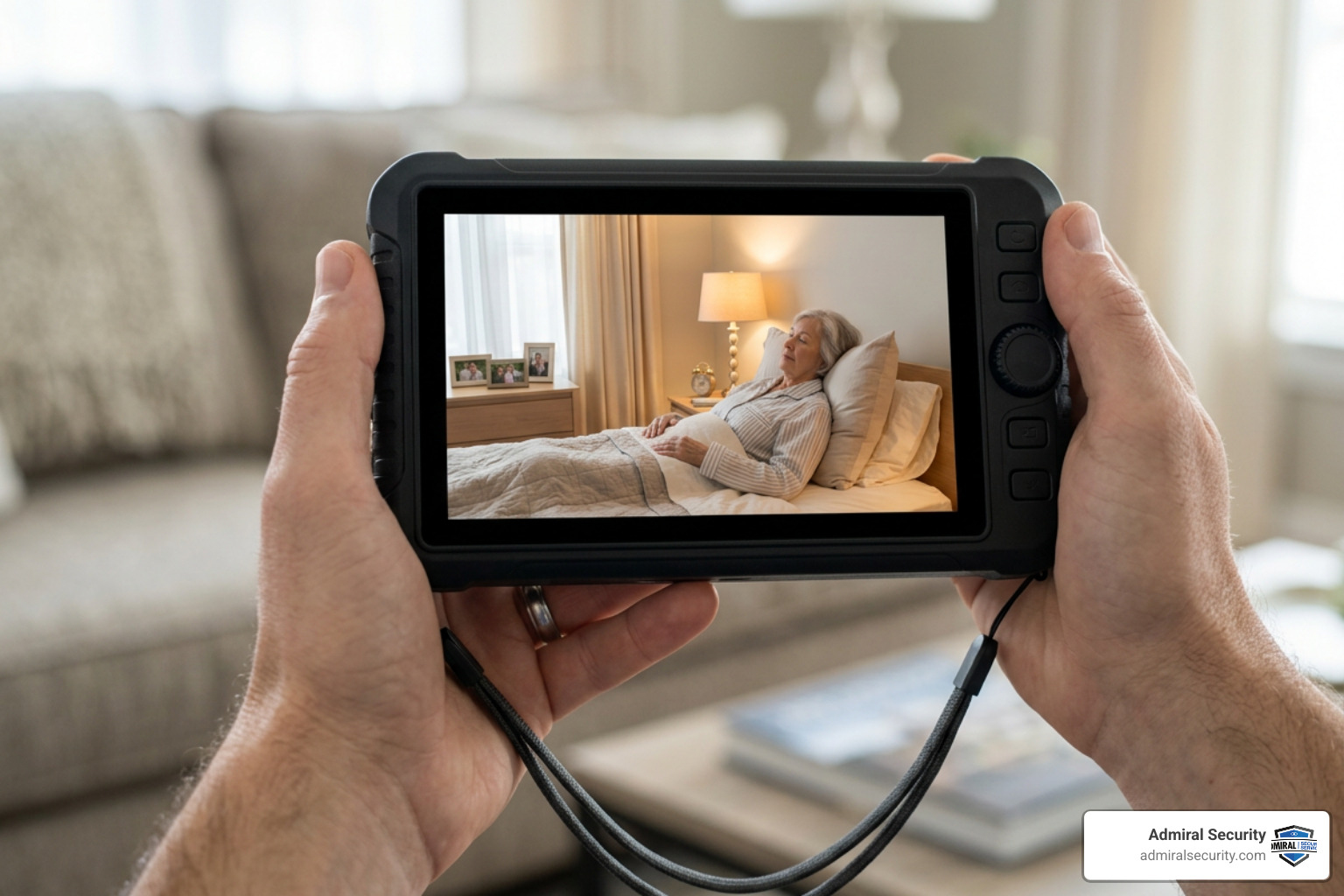
Not all monitors are created equal. When shopping for a two-way monitor for elderly family members, look for features that address the realities of senior care:
- Audio Clarity: This is the most important feature. Many seniors have mild to moderate hearing loss, so look for a monitor with a high-quality speaker that delivers clear voice audio without static.
- Night Vision: Falls often happen in the dark. Clear infrared night vision allows you to see if your parent is sitting up or struggling to get out of bed without turning on bright lights.
- Battery Life and Portability: If you are working in the yard or moving around the house, you need a handheld receiver with a long battery life. Look for models that offer at least 12 to 20 hours of continuous use.
- Range and Connectivity: Ensure the device’s signal can penetrate drywall, brick, and plaster. A monitor with an outdoor range of up to 1,000 feet will give you the freedom to step out to the mailbox or sit on the patio.
- Ease of Use: If the senior is expected to interact with the device, it must be simple. One large, clearly marked button is always better than a complex touchscreen menu.
How to Choose a Two-Way Monitor for Elderly Parents
When choosing a device, consider your daily routine. If you spend most of your time at home but need to move between rooms, a split-screen system is highly practical.
For example, the HD Split-Screen Video Baby Monitor – 2 Cameras | Babysense allows you to place one camera in the bedroom and another in the living room. You can view both feeds simultaneously on a single screen, making it easy to track movement without manually switching channels.
Additionally, look for a system with VOX (Voice Activated Alert) mode. This feature keeps the monitor screen dark and silent until it detects sound, such as a cough or a call for help. This saves battery life and prevents background static from disrupting your sleep.
Privacy and Consent Considerations for Senior Monitoring
Before you install any camera, you must address the ethical and legal aspects of monitoring. Seniors have a right to dignity, autonomy, and privacy.
- Have an Open Conversation: Sit down with your parent and explain why you want to install a monitor. Frame it as a tool to help them maintain their independence, rather than a way to watch their every move.
- Limit Camera Placement: Avoid placing cameras in highly private areas like bathrooms unless absolutely necessary. For high-risk areas, consider non-video motion sensors or simple call buttons instead.
- Turn Off LED Indicators: Many cameras have small, blinking lights that show they are recording. These can be distracting or cause anxiety, especially for seniors with cognitive decline. You can often turn these off in the device settings.
- Understand Facility Rules: If your parent lives in an assisted living facility in Bethesda, Baltimore, or Boston, check the facility’s policy on cameras. You may need to obtain consent from the administration and any staff members who enter the room.
Frequently Asked Questions About Elderly Monitoring
Is a Two-Way Monitor for Elderly Seniors Better Than a Baby Monitor?
Yes, specialized elderly monitors are generally better because they are tailored to senior-specific needs. While baby monitors are great for basic video and audio, they lack caregiving tools like medication reminders, custom alert buttons, and non-intrusive night vision.
Products like the Elderly Monitors with Camera and Audio, Two-Way Talk Room … are specifically designed for senior safety. They feature simple interfaces and loud, clear speakers, making them much easier for older adults to use compared to standard baby monitors.
Can these monitors help manage dementia and fall risks?
Yes, they are highly effective. For seniors with dementia who may wander or become disoriented, a two-way monitor lets you speak to them immediately to provide reassurance.
By catching early signs of movement, such as the sound of rustling sheets, you can assist your parent before they attempt to stand up alone. For more specialized advice, you can review resources like the Best Medical Alert Systems for Seniors with Dementia – SeniorLiving.org to see how families integrate wearable alerts with video feeds.
Are there non-camera alternatives for senior safety?
If your parent strongly objects to cameras, you can still maintain an excellent safety net using non-visual technology.
- Pressure Pads: These alert you when a senior stands up from a bed or chair.
- Motion Sensors: These track movement through rooms without capturing video.
- Multilingual Voice Alarms: Advanced systems, like the Posey 2026 Model 2 in 1 Alarm Sitter On Cue PRO-Posey Medical Device, support multiple languages and connect to wireless sensor pads. They sound an alert the moment a senior attempts to exit a bed or chair, helping prevent falls without invading their privacy.
Conclusion: Balancing Technology and Professional Security
A two-way monitor for elderly care is an excellent tool for managing safety within the home. However, technology is only one piece of the puzzle. For comprehensive safety, many families choose to combine smart home devices with professional security solutions.
This is where Admiral Security can help. We provide customized security risk management, trained personnel, and advanced technology integration across our service areas, from Boston down to Miami and Houston. Whether you need access control for a family estate or on-site security personnel to manage a residential community, we bring decades of experience to safeguarding your properties.
By combining reliable home monitoring tech with professional oversight, you can enjoy true peace of mind, knowing your loved ones are secure.
Learn more about Admiral Security integration and monitoring solutions to discover how we can help safeguard your home and family.